Open Source · Self-Hosted

Your AI assistant,
fully under your control.

Lightweight personal AI assistant (~23k LOC). Chat via Telegram or Discord, run coding agent teams, schedule jobs, sandbox commands in containers, approve risky actions — all from one tiny self-hosted service.

Get Started View Docs GitHub
~23k lines of TypeScript Self-hosted MIT License
SkimpyClaw Web Dashboard
Auditability

Full auditability for every action

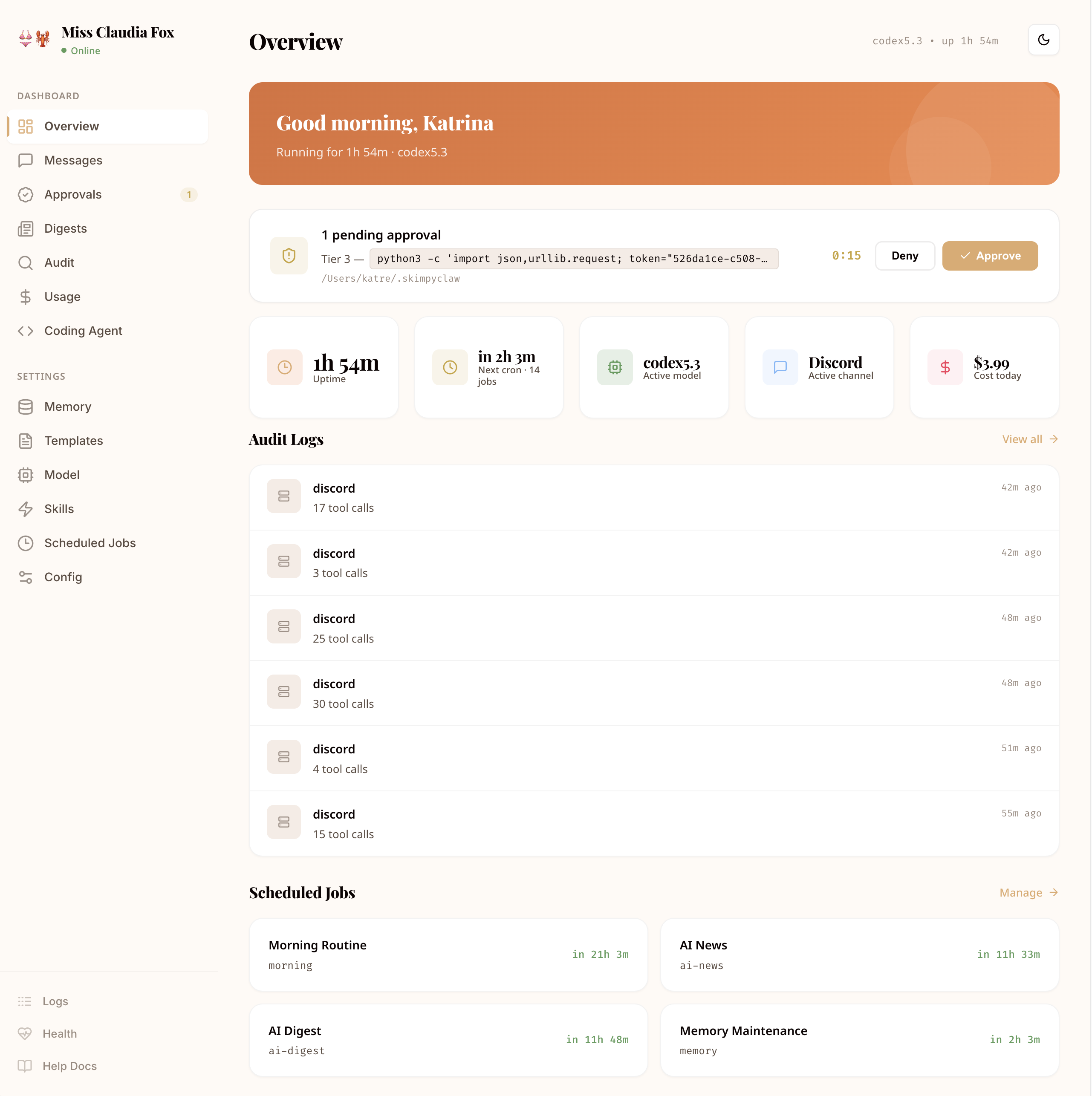
Every tool call, LLM request, approval decision, and cron execution is logged with timestamps, token counts, and cost data. Nothing happens in the dark.

  • JSONL-based audit traces for all agent interactions
  • Token counts and cost data per request
  • Searchable audit page with trigger badges and pagination
  • Optional Langfuse tracing for deeper observability
Read the audit docs
SkimpyClaw dashboard showing audit logs, tool calls, and cost tracking
Coding Agents

Spawn parallel coding agent teams

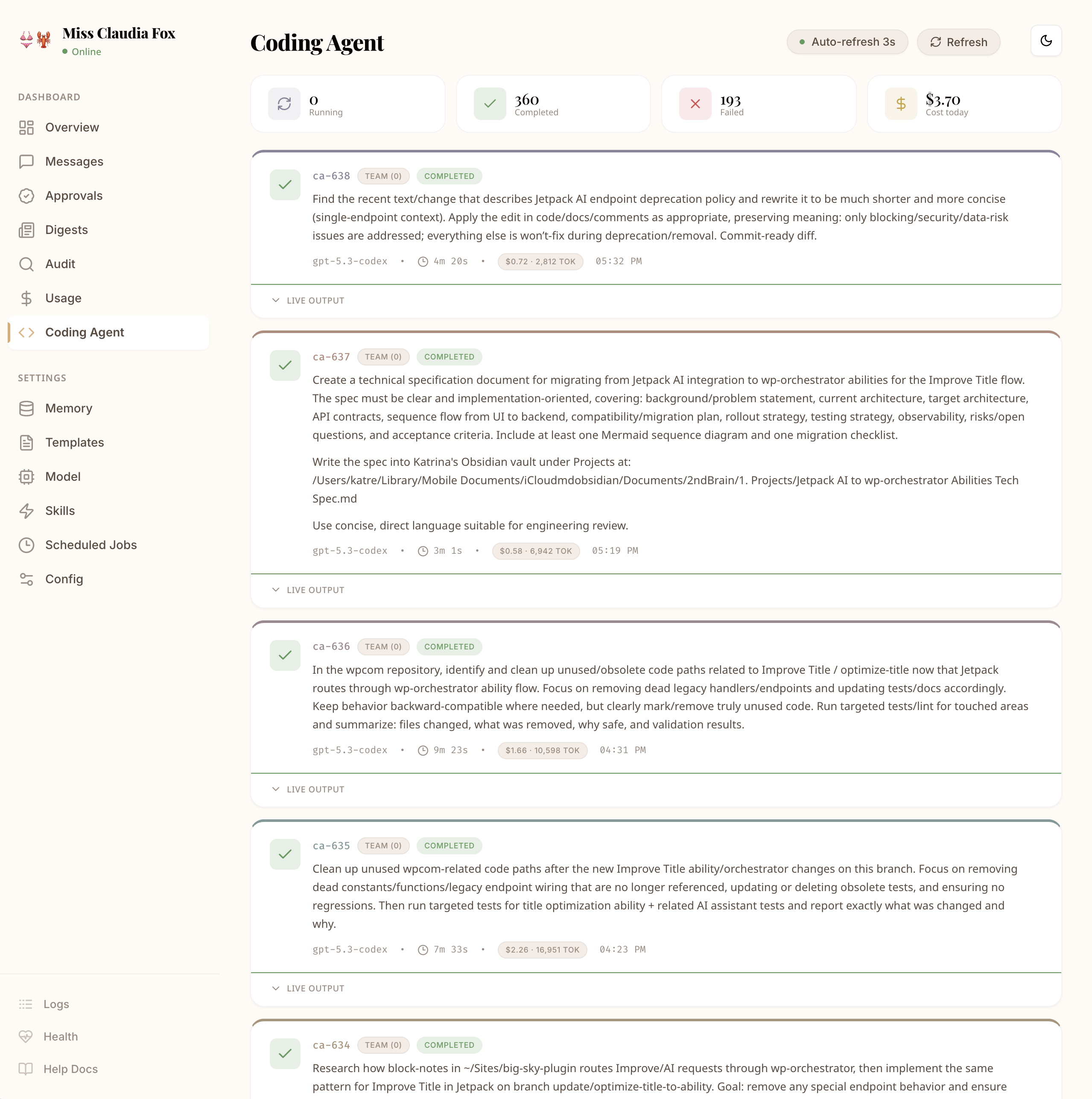
Decompose tasks across multiple AI coding agents — Claude, Codex, Kimi — that work in parallel. Each agent writes code, runs tests, and reports back through structured validation gates.
  • Multi-model agent orchestration
  • Parallel task decomposition and execution
  • Built-in validation gates and test runners
  • Git branch isolation per agent
Learn about agent teams
SkimpyClaw coding agent dashboard screenshot showing parallel task orchestration and validation results
Isolation

Container sandbox for every tool call

Run agent commands in isolated containers instead of on your host. Bash, file reads, writes, and directory listings all execute inside a sandboxed environment — the agent can install packages and run scripts without risk to your machine.

  • Apple Containers (macOS 26+) or Docker
  • Bash, Read, Write, Glob, and ListDir all sandboxed
  • Automatic host ↔ container path translation
  • macOS commands (osascript, open, say) bypass to host
  • One command setup: skimpyclaw sandbox init
Learn about sandboxing
SkimpyClaw sandbox and security controls
Security

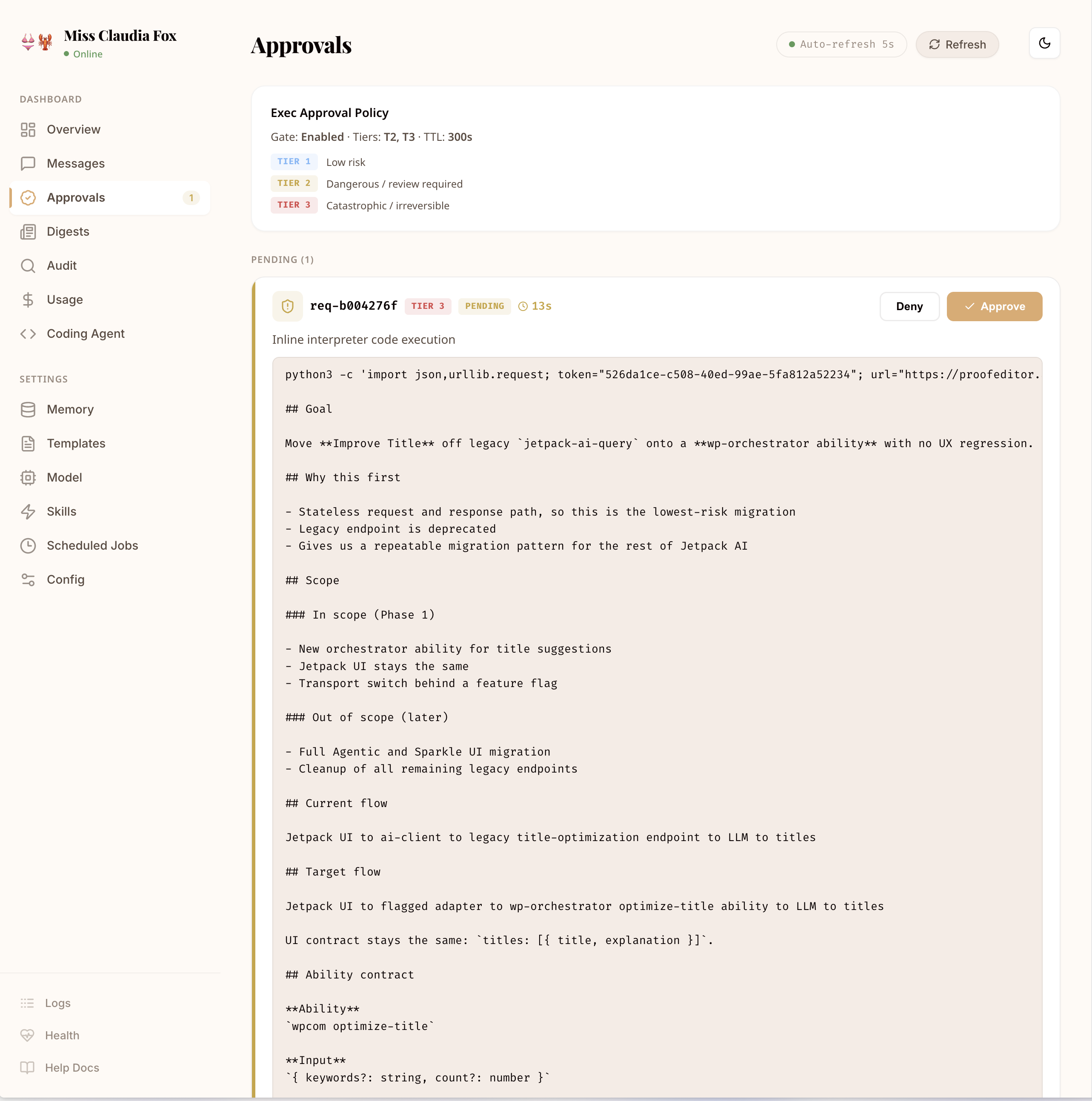
Human approvals for risky commands

Tier-based risk classification for every bash command. Low-risk commands run automatically. Dangerous ones require explicit human approval via Telegram or Discord before execution — even inside the sandbox.

  • Three-tier risk classification (informational, approval-required, dangerous)
  • Approve or deny commands from Telegram or Discord
  • Configurable TTL — unanswered approvals expire automatically
  • Full audit trail of every approval decision
  • Works with sandbox — approval happens before container execution
See approval tiers
Command approval queue with risk tiers and approve or deny actions
Observability

Usage & cost visibility

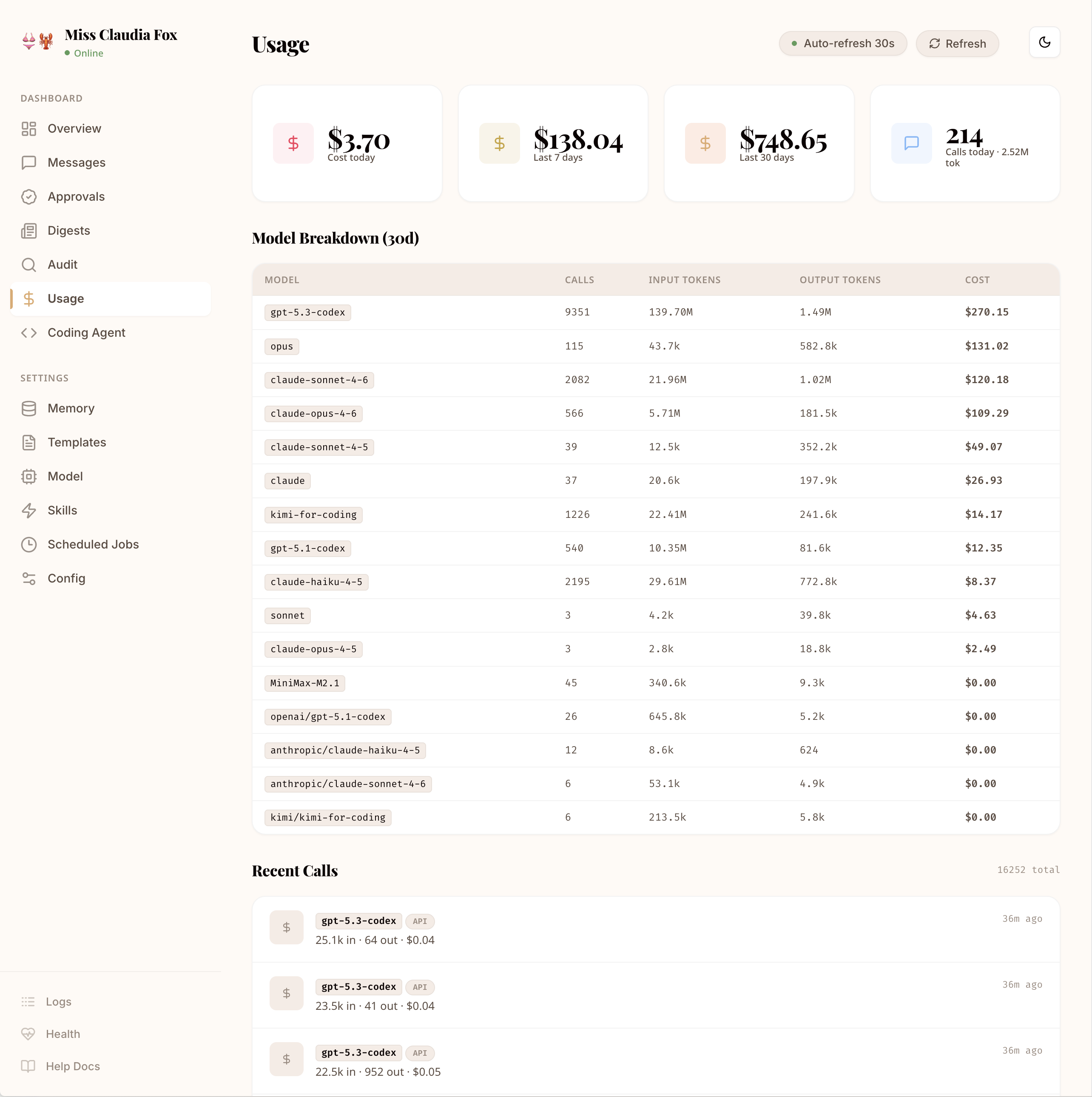
Track every token, every API call, every dollar. Usage summaries and per-model cost breakdowns in the dashboard — so you always know what your AI assistant is spending.
  • Token and cost tracking per request
  • Usage summary and records in the dashboard
  • Per-model cost data via Langfuse integration
  • Browseable usage records with API access
Explore usage tracking
SkimpyClaw usage dashboard with costs, model breakdown, and recent calls
Flexibility

Bring your own model

Not locked into one provider. Use Anthropic, OpenAI (via Codex), Kimi, MiniMax, or any OpenAI-compatible API like OpenRouter. Set model defaults per agent or override per cron job.
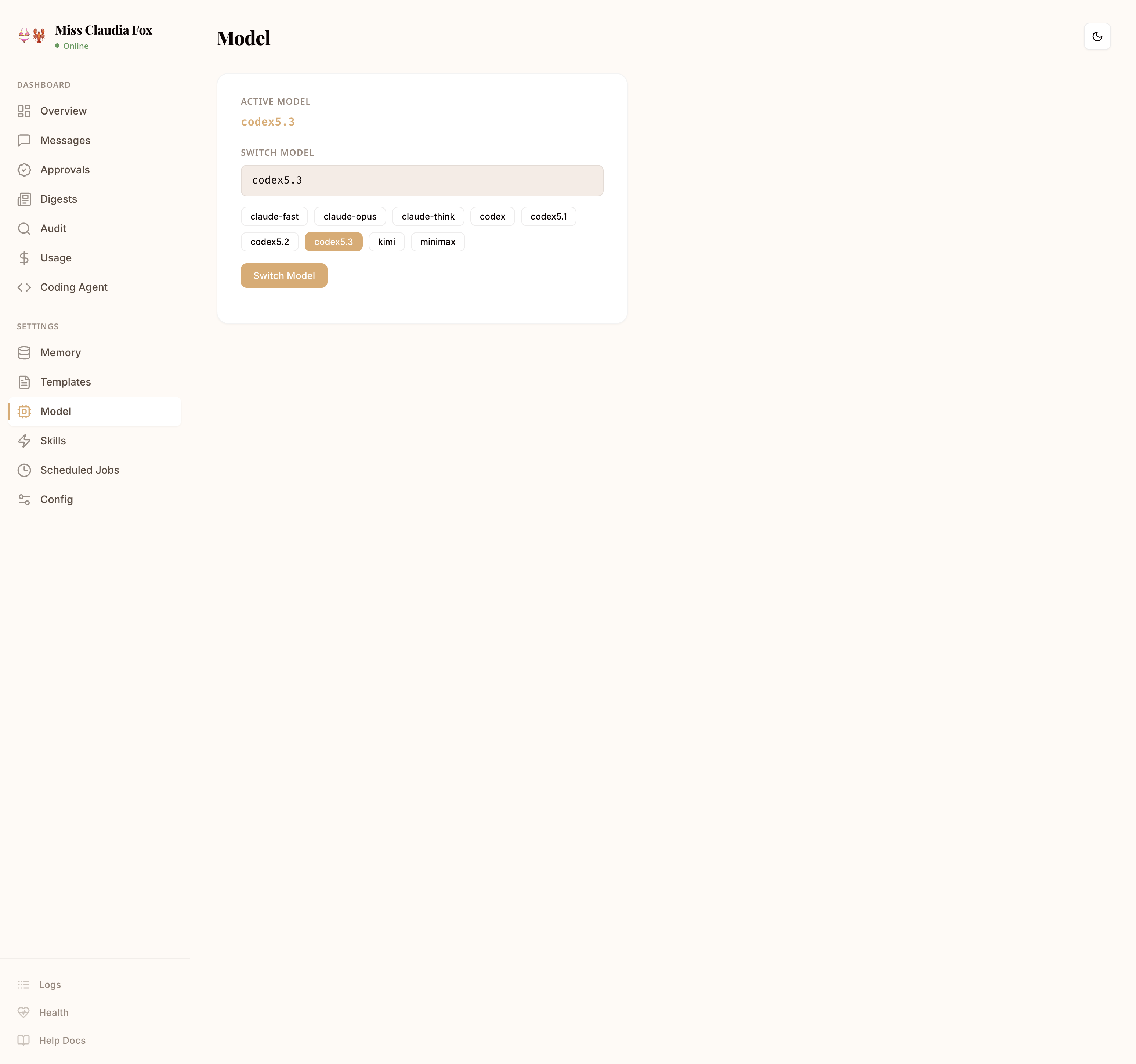
  • Anthropic Claude, Codex (ChatGPT), Kimi, MiniMax
  • Any OpenAI-compatible endpoint (e.g. OpenRouter)
  • Model aliases and prompt caching
  • Per-agent and per-cron-job model overrides
Configure providers
SkimpyClaw model configuration showing multi-provider setup and model aliases
Extensibility

Extensible skills system

Write skills as simple markdown files with trigger patterns. Skills can invoke bash, file I/O, browser automation, MCP tools, or any combination — activated automatically when patterns match.
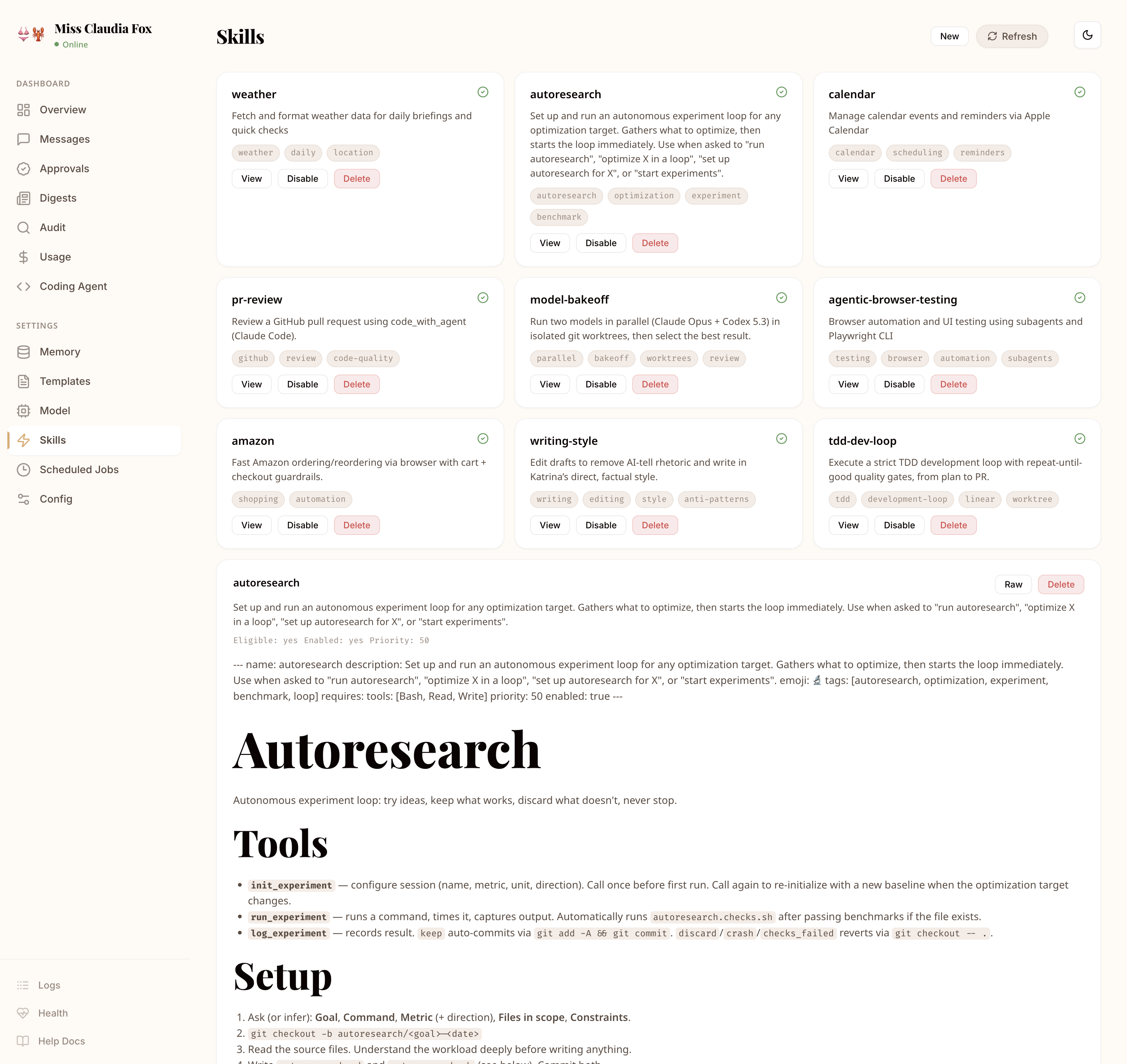
  • Trigger-based activation from chat context
  • File I/O, bash, and browser automation built in
  • MCP tool integration via mcporter
  • Per-skill enable/disable and eligibility checks
Build a skill
SkimpyClaw skills system showing trigger patterns and tool integrations
Automation

Scheduled jobs & cron

Run agent prompts or shell scripts on any schedule. Morning digests, nightly backups, and weekly reports are configured in cron and can be triggered on demand from the dashboard.
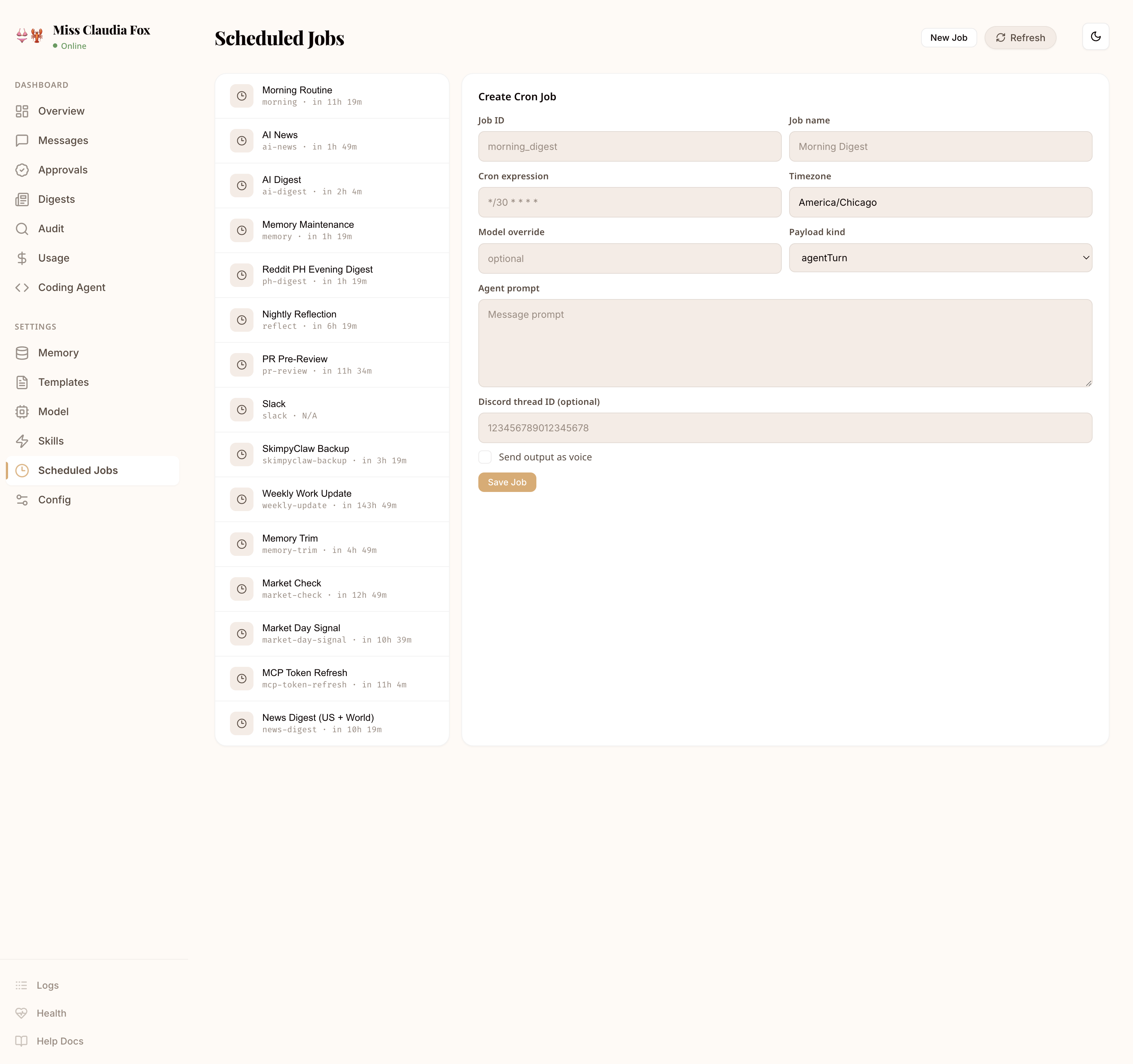
  • Standard cron syntax with timezone support
  • Agent prompts or raw shell scripts
  • Trigger on-demand runs from the dashboard
  • Execution logs and digest output tracking
Set up schedules
SkimpyClaw scheduled jobs dashboard showing cron configuration and execution history

Get running in 30 seconds

Install globally, onboard, and start the daemon.

$ pnpm add -g skimpyclaw
$ skimpyclaw onboard
$ skimpyclaw start --daemon
Full Setup Guide